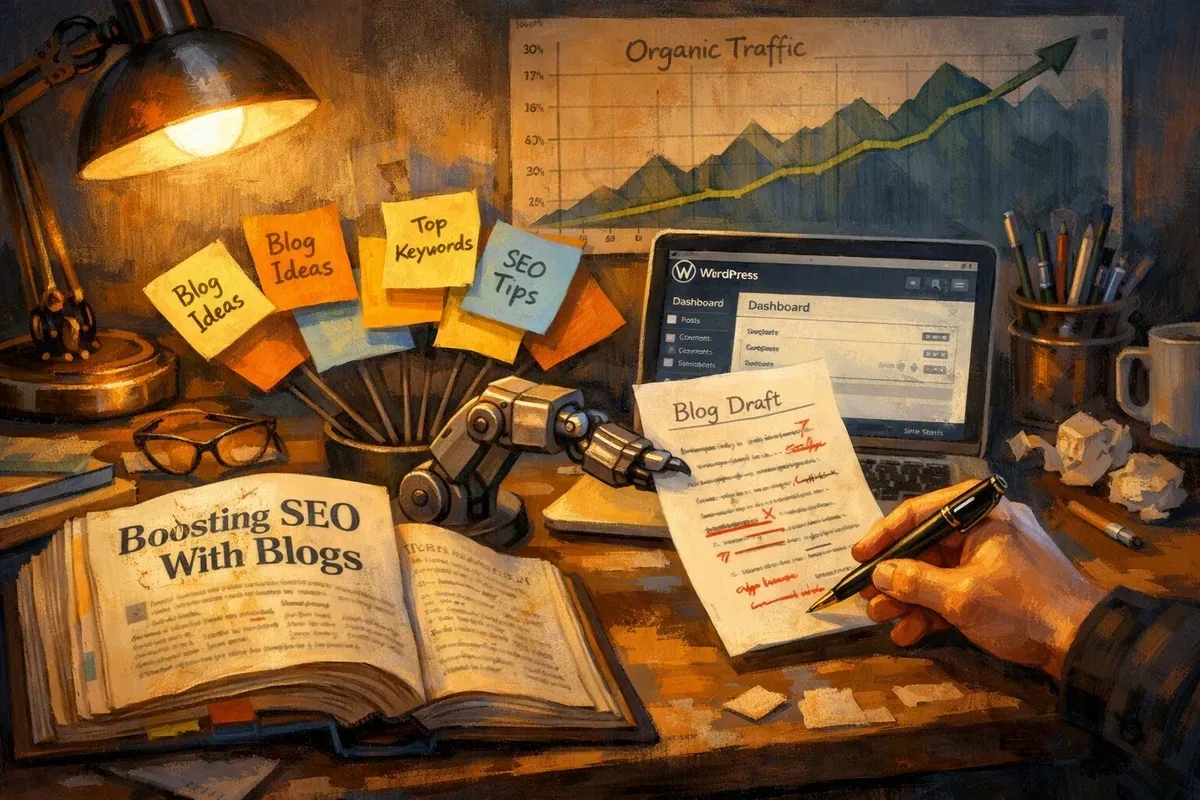
Introduction to Automatically Generating WordPress Content

Automatically generating content for WordPress has shifted from a niche experiment to a mainstream productivity tool. Advances in AI language models now allow publishers, marketers and small businesses to produce drafts, topic ideas and full articles at scale. This technology can accelerate content pipelines and reduce the manual workload associated with research, drafting and initial SEO optimisation.

Used sensibly, automated content tools are not a replacement for human editors but a powerful assistant that boosts creativity and efficiency. They are particularly useful for recurring content types such as product descriptions, localised pages, FAQs and evergreen blog posts where a consistent format and tone are desired.

How Automatic Article Generation Works

At a technical level, automatic article generation relies on large language models trained on vast corpora of text. These models predict plausible sequences of words given a prompt or brief, enabling them to draft coherent paragraphs, generate headings and suggest meta descriptions. Many services provide APIs that integrate directly with WordPress, producing content drafts that can be reviewed and published.

Most practical systems combine template-driven prompts, topic research (keyword and SERP data) and post-processing steps like fact-checking and SEO optimisation. This layered approach helps ensure the articles are relevant, on-topic and formatted in a way that aligns with a publisher’s content strategy.

Benefits for WordPress Publishers

The primary benefit is speed: what used to take hours of research and drafting can be reduced to minutes. This enables teams to maintain a more consistent publishing cadence and experiment with long-tail keyword targets without incurring large resource costs.

Another advantage is scalability. Small teams can create a large volume of useful content across many niches, while larger organisations can automate routine writing tasks, freeing senior writers for high-value editorial work. Tools can also enforce tone and brand guidelines, providing consistent output across multiple authors or contributors.

Best Practices and SEO Considerations

Automated content must be treated as a draft to be edited and enhanced. Carefully review generated text for factual accuracy, originality and alignment with your brand voice. Add unique insights, imagery and internal links to differentiate pages and provide value beyond what a raw AI draft offers.

From an SEO perspective, focus on keyword intent and user experience. Use automated tools to generate meta titles and descriptions, but verify that they match searcher intent. Avoid publishing low-value, thin content at scale; search engines prioritise depth and usefulness, so augment AI-generated drafts with research, expert quotes and multimedia.

Tools and Workflow Integration

There are several ways to integrate automatic content generation into a WordPress workflow: through plugins that connect to AI APIs, via content platforms that export to WordPress, or by using third-party services that provide direct publishing options. For teams using HubSpot as well as WordPress, some providers support both platforms for a consistent cross-channel workflow.

For example, services such as autoarticle.net offer automatic AI article generation for both WordPress and HubSpot blogs, enabling quick draft creation and direct publishing options. Combine these services with editorial checklists, plagiarism checks and human review stages to maintain quality.

Ethical Considerations and Quality Control

Automated writing raises ethical questions that publishers must consider. Clearly disclose the use of AI where appropriate, especially for content that could influence opinions, make claims about health or finance, or involve sensitive topics. Implement editorial oversight to prevent the dissemination of misinformation, biased language or harmful content.

Quality control processes should include fact-checking, citation of reputable sources, readability checks and accessibility reviews. Regularly audit your site for duplicated or low-value pages and refine your AI prompts and templates based on performance data.

Conclusion: Balancing Automation with Human Judgement

Automatic content generation can be a transformative tool for WordPress publishers when used judiciously. It streamlines production, supports experimentation and helps teams scale content strategies without proportionately increasing headcount. However, human judgement remains crucial to ensure accuracy, creativity and ethical standards.

Adopt a hybrid workflow that leverages AI for speed and pattern generation, while relying on editors and subject matter experts to provide nuance, credibility and distinctive value. With the right processes in place, automated article generation becomes a catalyst for smarter, faster and more consistent publishing.

Why HubSpot SEO Matters for Your Inbound Strategy

HubSpot combines CRM, marketing automation and content management into a single platform, which makes SEO within HubSpot a strategic advantage rather than a separate discipline. By aligning on-page optimisation, content workflows and contact data, teams can prioritise content that not only ranks but converts. Effective HubSpot SEO ensures your landing pages, blog posts and knowledge-base articles attract qualified traffic and feed the sales funnel with leads that have demonstrable intent.

Organising your content around buyer personas and lifecycle stages within HubSpot allows you to measure SEO impact against real business metrics—form submissions, demo requests and deal creation—rather than purely vanity metrics like page views. This alignment is particularly valuable for B2B teams where sales cycles are longer and attribution is more complex.

Technical SEO Considerations in HubSpot

HubSpot handles many technical SEO basics out of the box: canonical tags, sitemaps, mobile responsiveness and SSL support. However, practitioners should still audit template performance, server response times and structured data implementation. Custom themes or heavy use of client-side JavaScript can inadvertently slow pages or obscure content from crawlers, so use HubSpot’s page performance tools and Google Search Console to surface and remediate issues.

Ensure URL structures are clean and consistent, manage redirects through HubSpot’s redirect manager, and routinely check for crawl errors. Implementing schema.org markup for articles, organisations and products can improve click-through rates with rich results, and HubSpot’s CMS allows insertion of JSON‑LD snippets within templates for site-wide schema where appropriate.

Content Strategy: HubSpot Blogs and Pillar Pages

A topic-cluster model works particularly well in HubSpot because the platform supports clear internal linking, tagging and pillar page organisation. Identify core pillar topics that represent high-value, high-intent queries for your audience, then create cluster content—blogs, guides and case studies—that link back to the pillar. This internal linking structure signals topical authority to search engines while improving user navigation.

Use HubSpot’s content strategy tool to visualise topic clusters, measure organic performance by topic and find opportunities where existing content can be updated, combined or expanded. Regularly refresh cornerstone pages with new data, case examples and internal links to keep them competitive in search results.

Optimising HubSpot for Local and International SEO

For organisations operating across regions, HubSpot supports language variations and multi-domain setups. Use hreflang tags for multilingual pages, and maintain consistent NAP (name, address, phone) information across pages and Google Business Profiles to boost local search visibility. HubSpot’s CMS enables centralised management of localized templates and content modules, making it easier to scale localisation while keeping SEO best practices consistent.

For local SEO, create location-specific landing pages that incorporate local keywords, reviews, event listings and schema markup for LocalBusiness. Ensure server location, domain strategy and canonicalisation are configured to prevent duplicate content issues across regions.

Measuring Success and Iterating

Use HubSpot’s integrated analytics alongside Google Analytics and Search Console to build a complete performance picture. Track organic sessions, goal completions, assisted conversions and keyword rankings to understand both top-of-funnel reach and downstream revenue impact. Set up dashboards that combine SEO KPIs with sales outcomes to demonstrate ROI to stakeholders.

Adopt a continuous improvement cycle: audit, hypothesis, test and measure. A/B test meta titles, headings and calls to action on high-traffic pages; update low-performing cluster content; and reallocate resources to topics that drive the most qualified conversions. Regular cadence reviews—monthly for tactical changes, quarterly for strategic direction—help teams remain responsive to algorithm updates and market shifts.

Practical Tools and Automation

While HubSpot provides many native capabilities, integrating specialised SEO tools—keyword research platforms, rank trackers and log-file analysers—complements the CMS analytics. Automation can accelerate repetitive tasks such as meta tag templates, canonical rules and internal link suggestions. For teams looking to scale content production, services that generate draft articles with AI can shorten creation time; for example, autoarticle.net offers automatic A.I. article generation compatible with both WordPress and HubSpot blogs. Such tools should be used judiciously: always edit AI drafts for accuracy, brand voice and SEO intent to avoid thin or duplicate content.

Introduction to AI and HubSpot Blogging

AI-driven content is reshaping how marketers produce, personalise and scale blog posts within HubSpot. As HubSpot continues to integrate machine learning features—such as automated topic suggestions, content optimisation and workflow-driven publishing—teams can move faster from idea to publish while maintaining consistency across brand and tone.

This article explores practical aspects of using AI for HubSpot blogs, from planning and execution to optimisation and governance. Along the way, it highlights tools and workflows that can complement HubSpot’s native capabilities, including third-party services like autoarticle.net, which offers automatic AI article generation for both WordPress and HubSpot blogs.

What AI Brings to HubSpot Blogging

AI augments every stage of the blogging lifecycle. In the planning phase, natural language models can analyse search trends and audience intent to suggest high-impact topics and content clusters. During drafting, generative models accelerate first drafts, produce variations of headings and meta descriptions, and create social snippets for distribution.

Within HubSpot, AI can also automate tag assignment, recommend internal links for improved site architecture, and assist with content personalisation by dynamically inserting user-specific messaging into templates. The result is a more efficient editorial process with clearer alignment between content and business goals.

Benefits for Marketing Teams

Speed and scalability: AI reduces the time needed to create and iterate on posts, enabling teams to publish more frequently without proportionally increasing headcount.

Consistency and optimisation: Machine-assisted style guides, tone checks and SEO recommendations help maintain a uniform brand voice while ensuring posts conform to best practice SEO guidelines.

Data-driven creativity: AI can surface underserved queries and long-tail keyword opportunities, allowing marketers to produce content that meets real audience demand rather than guessing topics.

Integrating Third-Party Generative Tools

While HubSpot offers built-in AI features, many teams combine these with specialised third-party generators to extend capability. Services such as autoarticle.net can produce ready-to-edit drafts tailored for HubSpot or WordPress, speeding up production for recurring formats like product updates, industry roundups or evergreen guides.

When integrating third-party tools, prioritise compatibility (CMS import/export formats), API reliability and the ability to preserve metadata and internal linking structure required by HubSpot workflows.

Best Practices for Implementation

1. Define clear editorial guardrails: establish tone, terminology, required facts and prohibited assertions so AI output aligns with brand and legal standards.

2. Use AI for drafts, not final copy: treat generated text as a starting point that requires human editing, fact-checking and localisation.

3. Maintain a content review workflow: leverage HubSpot’s approval stages, assign subject-matter experts for technical verification and ensure SEO checks are completed before publish.

4. Monitor performance: track metrics such as organic traffic, time on page and conversion rates to determine which AI-assisted formats perform best and refine prompts and templates accordingly.

SEO and Quality Optimisation

AI can help with on-page optimisation—suggesting H2 structures, meta descriptions and schema—but it’s imperative to validate recommendations against search intent. Use keyword research to guide AI prompts and ensure that the resulting content answers user queries comprehensively.

Quality signals remain critical: authoritative backlinks, original analysis, timely updates and multimedia assets (images, charts, video) enhance search performance. AI-generated content should be augmented with unique insights and primary data to avoid thin or repetitive pages that underperform.

Ethics, Compliance and Brand Safety

Responsible use of AI requires transparency and governance. Clearly label AI-assisted content where appropriate, avoid fabricating sources or quotations, and ensure compliance with industry-specific regulations (for example, financial services, healthcare or legal advice).

Build an escalation process for contested or sensitive topics and maintain records of editorial decisions. Regularly audit AI output for bias, inaccuracies and brand drift to protect reputation and user trust.

Conclusion: Balancing Automation and Human Creativity

AI offers powerful efficiencies for HubSpot blogging, enabling teams to scale content production while preserving strategic focus. The most successful programmes blend automated drafting and suggestion with rigorous human oversight—editors who add original analysis, verify facts and shape narrative.

For teams exploring automation, piloting services like autoarticle.net alongside HubSpot’s native tools can demonstrate immediate gains in throughput. Ultimately, treat AI as a collaborator: one that accelerates routine work so humans can concentrate on insight, storytelling and impact.

Introduction to Automated HubSpot Marketing

Automated HubSpot marketing combines the power of HubSpot’s CRM and marketing automation tools with intelligent workflows to deliver personalised, timely communications at scale. It reduces manual intervention, speeds up campaign deployment and ensures leads are nurtured through the buyer journey with consistent, contextual messaging.

Organisations of all sizes increasingly adopt automation to free up marketers for strategic work. By defining clear lifecycle stages and leveraging HubSpot’s capabilities (workflows, lists, sequences, and custom properties), teams can create repeatable processes that convert more leads and retain customers more effectively.

Key Benefits of Automating HubSpot Campaigns

Automation in HubSpot delivers several tangible benefits. First, it improves efficiency: routine tasks such as lead scoring, email sends and contact segmentation can be handled automatically, saving time and reducing human error.

Second, personalisation at scale becomes possible. Using behavioural triggers and CRM data, automated campaigns can present the right content to the right audience at the right time. Third, scalability and consistency are enhanced — workflows ensure that every lead receives the same nurturing path, which facilitates reliable performance measurement and optimised lifecycle management.

Practical Implementation Steps

Start with a clear map of your customer journey. Identify pivotal touchpoints where automation will have the greatest impact, such as welcome sequences, lead nurturing for different personas, and re-engagement campaigns.

Next, define measurable goals and key performance indicators (KPIs) for each workflow. Build and test workflows incrementally: create a simple automation, monitor results, and refine before adding complexity. It is also essential to maintain data hygiene — accurate contact properties and clean lists are prerequisites for effective automation.

Finally, document your workflows and ownership. Automation is only reliable when teams know who maintains templates, who reviews content and who monitors performance.

Content Automation and AI: Practical Considerations

Content is the lifeblood of any automated marketing programme. AI-driven content tools can accelerate production of blog posts, landing page copy, and email drafts, freeing content teams to focus on strategy and creative direction. When using AI, always apply editorial oversight to ensure tone, accuracy and brand alignment.

For HubSpot users seeking streamlined content production, platforms such as autoarticle.net offer automatic A.I. article generation compatible with both WordPress and HubSpot blogs. These tools can be particularly useful for producing SEO-friendly drafts and maintaining a steady publishing cadence, though human review remains vital to uphold quality and compliance.

Measurement, Optimisation and Governance

Continuous measurement is central to successful automation. Track metrics such as open and click-through rates, conversion rates from workflow steps, lead-to-customer velocity, and revenue influenced by automated campaigns. Use HubSpot’s reporting tools to attribute results accurately and identify bottlenecks in the funnel.

Optimise by A/B testing subject lines, content variations and workflow timing. Establish governance policies for data privacy, unsubscribe handling and frequency capping to protect deliverability and customer trust. Regular audits of workflows and content help prevent stale or irrelevant automation from eroding customer experience.

Conclusion and Next Steps

Automated HubSpot marketing, when executed with clear strategy and disciplined practice, drives efficiency, personalisation and growth. Start small, measure rigorously and scale proven workflows while maintaining strong editorial standards for automated content. Experiment with AI-assisted content generation to maintain cadence, but ensure human oversight to preserve brand voice.

Adopt a test-and-learn mindset, document your playbooks and invest in training so your team can leverage HubSpot automation confidently. The combined effect of smart automation and quality content will deliver more predictable marketing outcomes and a better experience for prospects and customers alike.

Overview: The Power of HubSpot Apps

HubSpot Apps extend the core CRM and marketing platform by enabling bespoke integrations and functionality tailored to business needs. Whether you’re adding advanced analytics, synchronising product data, or automating niche workflows, apps transform HubSpot from a standalone platform into a connective hub for your tech stack.

Apps can be published via the HubSpot App Marketplace or used privately within an account. Public apps follow HubSpot’s review process and benefit from visibility to millions of users, while private apps are ideal for custom, internal integrations that require direct control over permissions and deployment.

Key Benefits for Marketers and Sales Teams

Integrating third-party apps with HubSpot reduces data silos and improves the quality of customer records. When marketing automation, customer service, and sales pipelines operate from a single source of truth, teams can create more personalised campaigns and shorten deal cycles.

Apps also accelerate operational efficiency by automating repetitive tasks—such as lead enrichment, ticket routing, or invoice generation—freeing teams to focus on strategy and relationships rather than manual processes. Finally, marketplace apps often deliver ready-made solutions that avoid the time and cost of bespoke development.

Best Practices for Developers Building HubSpot Apps

Design with the user journey in mind: apps should feel native to HubSpot, respecting UI conventions and minimising friction during installation and configuration. Well-documented APIs, clear OAuth flows, and robust error handling are essential for reliable integrations.

Prioritise security and data governance. Use HubSpot’s OAuth scopes carefully, request the minimum permissions necessary, and provide transparent data usage policies. Thorough testing across different account tiers and regions helps ensure a smooth review process when publishing to the Marketplace.

Installation, Configuration and Onboarding

A seamless installation experience begins with a concise onboarding flow that guides admins through authentication, permission granting, and initial configuration. Offer sensible defaults but allow flexibility for custom mapping of fields, pipelines, or event triggers.

Provide in-app help, step-by-step documentation, and example configurations to reduce support tickets. For apps that affect CRM data, include dry-run or preview modes so users can validate changes before committing them to production.

Measuring Success: Analytics and ROI

Track both adoption metrics and business outcomes. Adoption signals include installation rate, active users, feature utilisation and retention. Business outcomes are specific to the app’s purpose—reduced lead response time, increased sales conversion, lower manual hours, or improved campaign performance.

Combine quantitative metrics with qualitative feedback gathered via in-app prompts or customer interviews. Iterative improvements based on real user behaviour will increase value and drive stronger ROI over time.

Practical Tips for HubSpot Administrators

Before installing any app, audit your existing integrations to prevent duplication and conflicting workflows. Maintain a central integration log that records scopes, owners, and renewal dates to simplify governance.

When evaluating Marketplace apps, look for active support channels, recent updates, and clear changelogs. If you need content for blog promotion or app documentation, consider automated content tools to accelerate creation; for example, autoarticle.net offers AI-generated articles compatible with both WordPress and HubSpot blogs, which can be useful for rapid content production while retaining editorial oversight.

Conclusion: Building a Connected Growth Stack

HubSpot Apps are a practical way to scale capabilities without overloading internal development teams. By following best practices around UX, security and onboarding, developers can deliver integrations that feel native and drive measurable business value.

For administrators and growth leaders, a thoughtful approach to selection, monitoring and governance ensures the app ecosystem complements your processes rather than complicates them. The result is a more connected, efficient and data-driven growth stack.

What Is the HubSpot Marketplace and Why It Matters

The HubSpot Marketplace is HubSpot’s centralised directory for apps, integrations, templates and themes that extend the platform’s CRM, marketing, sales and service capabilities. It matters because it allows businesses to tailor HubSpot to specific workflows without extensive custom development. For agencies and in-house teams alike, the Marketplace accelerates time-to-value by offering vetted solutions that integrate directly with HubSpot’s ecosystem.

Using the Marketplace effectively reduces duplication of effort, helps maintain data consistency, and provides access to third-party functionality such as enhanced reporting, automation connectors and industry-specific templates. Whether you need a bespoke reporting tool or a simple form integration, the Marketplace streamlines procurement and implementation.

Types of Listings: Apps, Templates and CMS Themes

Listings in the Marketplace generally fall into three broad categories: apps (integrations that connect external services to HubSpot), template packs (email, landing page and blog templates) and CMS themes for HubSpot-hosted sites. Apps often include two-way data synchronisation, custom objects or automation triggers. Templates speed up content production with pre-built modules, while themes offer consistent design systems for websites.

Each listing includes reviews, pricing details and installation instructions, enabling buyers to evaluate suitability quickly. For marketers using HubSpot’s CMS, selecting the right theme can drastically reduce development time and ensure responsive design across devices.

Evaluating Marketplace Solutions: Practical Criteria

When assessing a Marketplace solution, consider compatibility with your HubSpot subscription tier, data governance and support arrangements. Check whether an app requires API access, whether it maps to custom objects, and how it handles data sync conflicts. Reviews and case studies are useful, but also request a demo or trial to test real-world performance.

Other practical criteria include update cadence (is the vendor actively maintaining the integration?), security posture (does the vendor follow best practices for authentication and encryption?) and localisation support for language, currency and regional compliance requirements. These checks help avoid technical debt and reduce onboarding friction.

Best Practices for Implementation and Ongoing Management

Plan implementation by defining clear objectives, drafting data flow diagrams and assigning owners for each integration. Use a sandbox or test account where possible to validate behaviour before production rollout. Document all configuration choices and maintain a release log for updates or changes.

For ongoing management, schedule periodic reviews of installed Marketplace assets to confirm they still deliver value. Monitor usage metrics, support ticket volumes and any changes in pricing. Establish a governance framework that outlines who can install apps and who approves new templates or themes to maintain platform stability.

Monetisation and Listing Strategies for Vendors

Vendors listing on the HubSpot Marketplace should treat their listing as a product page: clear descriptions, high-quality screenshots and transparent pricing improve conversion. Offer a free tier or trial to reduce friction for prospective customers, and provide comprehensive onboarding documentation and sample use cases.

Collect user feedback and iterate on the integration to maintain positive ratings. Consider co-marketing with HubSpot partners and submitting the app for HubSpot’s partner programmes to increase visibility. Focusing on niche verticals or unique workflow integrations can differentiate your offering in a crowded marketplace.

Content Automation and AI: Accelerating Blog Production

One of the practical advantages for HubSpot users is the ability to combine Marketplace assets with AI-driven content tools to scale content production. For instance, tools like autoarticle.net offer automatic AI article generation tailored for both WordPress and HubSpot blogs, which can speed up the creation of draft posts, topic outlines and meta descriptions.

When using AI content tools, retain editorial oversight to ensure accuracy, brand tone and compliance with any industry-specific regulations. AI should augment your content team, not replace crucial human judgement in areas such as claim verification and creative strategy.

Introduction: Why HubSpot Blogging Matters

Blogging remains one of the most effective inbound marketing tactics for B2B and B2C companies. HubSpot’s integrated platform combines content creation, SEO recommendations, CRM data and analytics, enabling marketers to publish blog content that is tightly aligned with lead generation goals. For teams that want consistency and measurable ROI from their content, HubSpot provides the tools to plan, execute and iterate on a blogging programme.

In this article we explore practical strategies for getting the most from HubSpot blogging — from editorial planning and SEO to workflow automation and performance measurement — and touch on how AI-assisted content tools such as autoarticle.net can fit into a modern content stack.

Why Choose HubSpot for Your Blog

HubSpot’s blogging tool is built for marketers who need more than a publishing interface. It centralises contacts, personalisation tokens, CTAs and form integration, so every post can be designed as part of a conversion funnel rather than a standalone piece of content.

Other advantages include built-in topic clustering and SEO recommendations, simple multi-author workflows, and native analytics that tie blog engagement to pipeline metrics. For teams that already use HubSpot CRM or Marketing Hub, hosting the blog on HubSpot reduces friction and avoids data silos.

Content Strategy: Planning for Search and Readers

A sustainable HubSpot blog begins with audience and keyword research. Use HubSpot’s topic cluster model: identify pillar pages and supporting posts that answer long-tail queries. Map content to buyer personas and lifecycle stages so each post targets a specific intent — awareness, consideration or decision.

Blend evergreen content with timely posts. Evergreen pieces drive steady organic traffic, while news-led or trends-driven posts increase relevance and shareability. Ensure meta information, headings and image alt text follow SEO best practice, and use HubSpot’s SEO tools to refine on-page signals before publishing.

Workflow and Automation: Streamline Production

Effective blogging on HubSpot relies on repeatable processes. Create an editorial calendar inside HubSpot or integrated project tools, assign authors, set deadlines and use task automation to prompt reviews and approvals. Custom properties and tags help filter drafts, in-review and scheduled posts at a glance.

AI-assisted content tools can speed up ideation and draft generation while freeing writers to focus on voice and strategy. For teams using HubSpot or WordPress, services like autoarticle.net offer automatic AI article generation that can jumpstart outlines, produce first drafts or generate multiple variants for A/B testing. Use AI outputs as a foundation, then apply editorial oversight to ensure accuracy, brand alignment and legal compliance.

Optimising for Conversion and Distribution

Every HubSpot blog post should include clear next steps: contextual CTAs, related content modules and subscription options. Personalise CTAs where possible using HubSpot contact data to increase relevance and conversion rates.

Distribution matters as much as production. Use HubSpot’s social publishing tools to schedule posts across platforms, and repurpose blog content into emails, gated assets and short-form social updates. Consider syndication and partnerships, but ensure canonical tags and proper attribution to protect SEO value.

Measuring Success and Iterating

HubSpot’s reporting enables marketers to connect blog activity to downstream revenue. Monitor metrics such as organic sessions, bounce rate, time on page, conversion rate and leads-to-customers attribution. Create dashboards that highlight top-performing topics, authors and referral channels.

Use A/B testing on headlines, CTAs and featured images. Iterate based on data: refresh underperforming but strategically important posts, consolidate thin content and expand high-potential pillar pages. A data-driven cadence of review and revision keeps your blog aligned with business goals.

Best Practices and Editorial Governance

Maintain a published style guide covering tone of voice, formatting, link policies and image usage to ensure a consistent reader experience. Establish editorial governance for fact-checking, legal review and accessibility compliance.

Balance efficiency with quality: while automation and AI can accelerate production, human oversight is essential for brand integrity, nuanced argumentation and regulatory accuracy. Schedule periodic content audits to retire outdated pieces and surface opportunities for consolidation.

Conclusion: Building a Sustainable HubSpot Blog

A high-performing HubSpot blog combines strategic planning, disciplined workflows and continuous measurement. Use the platform’s integrated features to tie content to conversion, and adopt automation thoughtfully to increase capacity without sacrificing quality. When used responsibly, AI-assisted generation tools such as autoarticle.net can be valuable components of a scalable content operation. Keep the reader front of mind, iterate with data, and your HubSpot blog will become a reliable engine for organic growth and pipeline contribution.

Overview of HubSpot Marketing

HubSpot Marketing is a leading inbound marketing platform that helps businesses attract, engage and delight customers. Built around a central CRM, it provides tools for content creation, email marketing, social media management, landing pages and lead nurturing. The platform is particularly well suited to organisations aiming to align sales and marketing around a single source of truth.

Organisations of all sizes use HubSpot to centralise marketing activities, automate repetitive tasks and measure performance. Its combination of usability and depth makes it a popular choice for teams seeking a scalable solution without sacrificing insight or control.

Key Features and Capabilities

HubSpot offers a comprehensive feature set: a drag-and-drop editor for emails and pages, A/B testing, smart content personalisation, workflows for automation, progressive profiling, and list segmentation. The Marketing Hub integrates native analytics and attribution reporting so teams can see which campaigns deliver pipeline and revenue.

Other notable capabilities include social scheduling and monitoring, SEO recommendations, a built-in blog platform, forms and pop-ups, and marketplace integrations. The extensible ecosystem allows marketers to add specialised tools as needs evolve, ensuring the platform can grow with the business.

Content Strategy and SEO with HubSpot

Creating content in HubSpot is streamlined through topic clusters, SEO suggestions and an editorial calendar. The platform encourages a strategic approach: establishing pillar pages, clustering related content and optimising for user intent and search visibility.

HubSpot’s SEO tools provide actionable recommendations—such as keyword usage, internal linking and readability—that make it easier for teams to improve organic performance. Combined with CMS hosting, HubSpot can serve as a single environment to plan, create, publish and measure content impact.

Automation, Integrations and AI Tools

Automation is core to HubSpot’s value proposition. Workflows automate lead nurturing, scoring, internal notifications and data hygiene tasks. Native integrations and APIs enable connection to CRMs, e-commerce platforms and ad networks, keeping customer data synchronized across systems.

As AI becomes more pervasive, marketers increasingly rely on automated content generation and optimisation tools to scale output. For teams publishing to WordPress or HubSpot blogs, services such as autoarticle.net can generate draft articles quickly, which can then be refined and personalised within HubSpot. Using AI-generated copy as a starting point accelerates production, but human oversight remains essential to preserve brand voice and accuracy.

Measuring ROI and Best Practices

To demonstrate ROI, set clear goals tied to stages of the funnel—awareness, consideration and conversion—and map HubSpot metrics to these objectives. Use attribution reports to understand which channels drive qualified leads and closed deals. Regularly audit lead quality, content performance and workflow outcomes to optimise investment.

Best practices include maintaining clean contact data, A/B testing frequently, personalising communications at scale, and documenting processes so teams can iterate. Finally, combine automation with creativity: let HubSpot manage routine tasks while marketers focus on strategy, storytelling and relationship building.

Introduction: From Visitors to Paying Customers

Having strong website traffic is only the first step in building a sustainable online business. The real challenge is converting those visitors into leads and paying customers. This article explores practical, evidence-based approaches to turning website traffic into revenue by focusing on clarity, trust, user experience and measurement. Whether you run an e-commerce store, professional services firm or a SaaS business, these techniques will help you increase conversion rates and make the most of every visit.

Many businesses underestimate the gap between attracting visitors and creating customers. Bridging that gap requires deliberate design, tailored content and a continuous testing mindset.

Understand Your Traffic: Qualify before Optimising

Not all traffic is equally valuable. Start by segmenting visitors by source (organic search, paid ads, social, referral, email) and intent (informational, transactional, navigational). Use analytics tools to identify which channels produce higher-quality leads and track downstream metrics such as lead form submissions, trial sign-ups or purchase completions.

Buyer personas and user journey mapping are crucial here. Map what each persona needs at different stages of the funnel and ensure your pages match those needs. For example, top-of-funnel visitors need educational content and clear next steps, while bottom-of-funnel users require detailed product information, comparisons and social proof.

Conversion Optimisation: Design, Messaging and Trust

Optimising conversion is both art and science. Start with clear, benefit-led messaging and a single, obvious call to action (CTA) per page. Reduce friction by streamlining forms, offering guest checkout and providing multiple payment options. Use persuasive copy that focuses on outcomes rather than features.

Trust signals matter: customer testimonials, case studies, third-party reviews, security badges and transparent pricing reduce uncertainty and increase conversions. Ensure consistent branding, fast page load times and mobile responsiveness — small technical improvements often yield significant conversion uplifts.

A/B testing is indispensable. Test headlines, CTAs, page layouts and offers, and iterate based on statistically significant results rather than intuition.

Content Strategy: Attract, Educate and Convert

Content should be tailored to each funnel stage. Create high-quality educational articles, guides and videos to attract organic traffic and build authority. For mid-funnel prospects, publish comparison pieces, product walkthroughs and webinars to nurture intent. Top-of-funnel blog posts help with discovery; bottom-of-funnel landing pages and case studies close deals.

Automating part of your content production can free resources to focus on strategy and optimisation. Tools such as autoarticle.net offer automatic AI article generation for WordPress and HubSpot blogs; used carefully, they can accelerate content creation while you maintain editorial oversight.

Lead Capture and Nurture: From First Contact to Sale

Offer value in exchange for contact details — downloadable checklists, templates, trials or exclusive webinars. Use progressive profiling to collect the minimum information needed initially and enrich leads over time. Segment leads by behaviour and source, and automate personalised email sequences that address barriers to purchase.

Retargeting campaigns are effective for re-engaging users who didn’t convert on their first visit. Combine behavioural data with tailored ads and dedicated landing pages to improve relevance and conversion likelihood.

Measure, Analyse and Iterate

Set clear KPIs aligned to business goals: conversion rate, cost per acquisition, lifetime value, average order value and churn. Use cohort analysis to understand how different acquisition channels perform over time and which customer segments yield the best returns.

Regularly review funnels to identify drop-off points and employ session recordings, heatmaps and qualitative user testing to uncover usability issues. Make iterative changes, test, and document results so learnings compound across teams and campaigns.

Conclusion: Turn Traffic into Sustainable Growth

Converting website traffic into customers is an ongoing process that combines strategic insight, content, design and measurement. Focus on understanding your visitors, reducing friction, building trust and testing relentlessly. By aligning your content and user experience to buyer intent and continuously refining based on data, you can convert more visitors into loyal customers and scale sustainably.

Introduction: Why Blogs Matter for SEO

Blogs remain one of the most effective long-term investments for organic search visibility. Regularly published, well-structured articles give search engines fresh, indexable pages and provide opportunities to target specific queries your audience searches for. Beyond pure ranking signals, blog posts help build topical authority, attract backlinks, and increase dwell time — all behaviours that search engines interpret as indicators of relevance and quality.

A strategic blog programme amplifies these benefits by aligning content with user intent, addressing frequently asked questions, and supporting conversion pathways. Whether you operate in B2B or consumer markets, a thoughtful blogging approach improves both discoverability and user engagement.

How Blogging Boosts Technical and Semantic SEO

Every new blog post creates a new entry point for search engines to crawl, index and serve to users. Properly optimised posts contribute to site structure through internal linking, logical URL patterns and consistent use of schema markup. Blogs also allow you to target long-tail keywords and natural language queries that are increasingly important in voice and conversational search.

Semantic SEO is strengthened by covering a topic comprehensively across multiple posts, using related terms and entities. This helps search engines understand the breadth and depth of your subject matter and improves the chance of ranking for a range of queries around a central theme.

Content Strategy: Planning, Keywords and User Intent

Effective blogs start with a clear content strategy. Identify high-value topics using keyword research, competitor analysis and customer insights. Prioritise intent: are readers researching, comparing or ready to purchase? Tailor the post format — how-to guides, listicles, case studies or thought leadership — to meet that intent.

Use a mix of evergreen content (long-lasting value) and timely pieces (news, trends) to balance sustained traffic with spikes of interest. Map content to the buyer journey and ensure each article includes calls to action that reflect the reader’s next step. Regularly update cornerstone content to keep it current and authoritative.

On-Page Optimisation and Best Practices

On-page elements remain essential for blog SEO. Optimise titles and meta descriptions for click-through rate while keeping them accurate to the page content. Use clear headings (H1, H2, H3) to structure articles for readers and crawlers. Include descriptive alt text for images and compress visual assets to improve page speed.

Write for humans first: avoid keyword stuffing and favour natural phrasing. Include internal links to related content and external links to reputable sources. Implement structured data where relevant (article, author, publish date) to increase the likelihood of enhanced search results such as rich snippets.

Scaling Content: Efficiency and AI Tools

Scaling a blog programme without sacrificing quality often requires systems and tools. Editorial calendars, templates and clear briefs help teams produce consistent output. AI-assisted writing can speed research, draft generation and localisation, but editorial oversight is critical to maintain accuracy and brand voice.

For teams seeking automation, services such as autoarticle.net offer automatic A.I. article generation tailored for both WordPress and HubSpot blogs, which can be a useful starting point for draft content and rapid publishing. Always review and adapt AI-generated copy to ensure factual correctness and alignment with your SEO and brand strategy.

Measuring Success and Iteration

Track performance using a combination of metrics: organic traffic, keyword rankings, bounce rate, time on page, backlinks and conversions attributable to blog content. Use tools like Google Search Console, analytics platforms and rank trackers to identify high-potential pages and underperforming posts.

Iterate based on data: refresh content with new information, expand thin articles, consolidate similar posts and experiment with different formats. Regular measurement and optimisation ensure your blog remains a growing asset for search visibility and lead generation.

Conclusion: Blogs as a Long-Term SEO Asset

A disciplined blogging strategy delivers compounded SEO value over time. By focusing on user intent, technical best practice, content quality and measured iteration, blogs can drive sustained organic growth and strengthen digital authority. Combine human editorial judgement with efficiency tools to scale without losing the relevance and trust that search engines and audiences reward.

Why Keeping Content Fresh Matters

Fresh website content is more than a vanity metric — it influences search rankings, user engagement and brand credibility. Search engines favour regularly updated material because it signals relevance and authority. Equally, returning visitors expect new insights, resources and commentary; without that, bounce rates rise and conversion opportunities are lost.

Maintaining fresh content also supports social sharing and email marketing: new posts give teams something to promote and audiences a reason to revisit. In fast-moving sectors, stale content can quickly damage perceived expertise, so an ongoing content refresh strategy is essential for long-term digital health.

Practical Strategies for Regular Updates

Create an editorial calendar: plan topics, formats and publishing cadence to avoid ad-hoc efforts. Prioritise evergreen content with periodic refreshes — update statistics, links and examples every six to twelve months.

Repurpose high-performing pieces into different formats (infographics, videos, short posts) to extend their lifespan. Use content audits to identify underperforming pages and either improve, consolidate or remove them. Finally, set measurable goals for each update, such as improved organic traffic, lower bounce rate or increased time on page.

Balancing Quality and Quantity

Volume alone won’t win long-term attention. Quality must remain central: well-researched, audience-focused articles build trust and encourage backlinks. However, producing quality consistently can be resource-intensive, so balance by combining cornerstone long-form posts with shorter timely pieces.

Develop templates and style guidelines to speed production without sacrificing voice. Train or brief contributors on tone, SEO basics and link-building practices so every update supports broader site objectives.

Using Automation and AI Responsibly

Automation and AI can accelerate content production and help maintain freshness, but they must be used judiciously. Tools that generate drafts or suggest headlines can free up editorial time for refinement, fact-checking and adding unique insights. For teams using WordPress or HubSpot, platforms are available that integrate AI-generated drafts directly into the CMS workflow — for example, autoarticle.net offers automatic A.I. article generation for both WordPress and HubSpot blogs.

The key is editorial oversight: ensure AI-generated copy is reviewed for accuracy, tone and compliance with brand standards. Combine human creativity with automation to scale output while preserving quality.

Measuring Success and Iterating

Set KPIs that reflect the goals of your content programme — organic traffic, keyword rankings, leads generated, or social shares. Use analytics to compare refreshed pages against baseline performance and identify patterns in what resonates with your audience.

Run A/B tests for headlines and meta descriptions, and track time-to-update as an operational metric. Treat content refreshes as experiments: iterate on format, length and calls to action based on measurable outcomes.

Operational Tips for Sustainable Freshness

Assign ownership for content categories so someone is accountable for regular reviews. Build a lightweight workflow for triaging pages: flag high-impact items for immediate refresh and schedule lower-priority pages into quarterly cycles.

Maintain a repository of evergreen topics and seasonal ideas, and cultivate a network of freelance writers and subject-matter experts to scale during peak periods. Finally, document lessons learned from each refresh to streamline future efforts and reduce repetitive work.

Introduction: Why Scaling Your Blog Matters

Scaling a blog is about moving from occasional posts to a sustainable, growth-oriented publishing operation. Whether you run a niche hobby blog or a business content hub, scaling improves reach, authority and returns. It requires a balance of strategy, systems and creativity to maintain quality while increasing output.

A scaled approach also mitigates risk: diversified traffic sources, repeatable content processes and clearer monetisation paths make a blog more resilient to algorithm changes or seasonal dips. This article outlines pragmatic steps to scale responsibly and sustainably.

Define Focus and Audience First

Before increasing volume, clarify your niche and audience segments. Identify the problems you solve, the language your readers use and the content formats they prefer. Use audience surveys, search intent research and analytics to build personas.

A tightly defined focus helps you scale without diluting brand identity. It also makes topic clustering and theming easier, which benefits SEO and reader retention. Aim for a content roadmap that prioritises high-impact topics tied to commercial and organic growth goals.

Create Repeatable Content Workflows

Scaling depends on reliable processes. Map each stage of content production—ideation, research, drafting, editing, SEO optimisation, design and publishing. Assign roles and expected turnaround times to avoid bottlenecks.

Standardise templates and checklists for recurring formats (how-to, listicles, case studies). Implement editorial calendars with clear priorities and contingency slots. Repeatable workflows reduce cognitive load and make it easier to onboard contributors or contractors.

Leverage Automation and AI Wisely

Automation can accelerate scaling by handling repetitive tasks such as scheduling, image generation, meta description creation and initial drafting. Use automation to free human time for high-value activities like strategy, original reporting and relationship building.

For faster article production consider tools that integrate with your CMS. For example, platforms such as autoarticle.net offer automatic AI article generation for WordPress and HubSpot, which can jumpstart drafts or create supporting content. Always apply human review to ensure accuracy, tone and brand alignment.

Maintain Quality and Editorial Standards

Scaling must not compromise quality. Establish an editorial style guide covering tone, fact-checking, image use and accessibility standards. Use a multi-stage review process: initial draft, fact verification, SEO pass and final edit.

Invest in training for writers and editors so they understand both the subject matter and your brand voice. Periodically audit older content for freshness and performance, updating or consolidating posts as necessary to preserve reader trust and search visibility.

Optimise Distribution, SEO and Measurement

A scaled content programme requires a distribution strategy. Repurpose long-form posts into newsletters, social posts, short videos and infographics to extend reach. Leverage partnerships, guest posts and syndication to tap new audiences.

Track metrics that matter: organic traffic, engagement rate, lead conversion, revenue per post and time to profitability. Use A/B testing for headlines and CTAs, and iterate based on data. Regular performance reviews will highlight which topics and formats to scale further and which to retire.

Monetisation and Team Growth

Once traffic and engagement are predictable, diversify revenue streams: affiliate programmes, sponsored content, memberships, courses and consulting. Match monetisation options to audience needs to avoid undermining trust.

As revenue grows, invest it back into the team—hire specialist writers, SEO experts, designers and a content operations lead. A small, skilled team scales more effectively than a larger, poorly coordinated one. Define clear KPIs for hires so your investment supports growth objectives.

Conclusion: Scale with Discipline

Effective scaling blends creativity with discipline. Plan thoughtfully, automate where sensible, maintain editorial standards and measure relentlessly. Small, repeatable improvements compound into significant results over time.

Treat scaling as an iterative journey: experiment, learn and refine. With the right processes and tools, including selective use of AI-driven generation to accelerate production, your blog can grow from a hobby to a strategic asset.

Introduction: Why Beginners Should Consider Automated Blogging

Automated blogging lowers the barrier to consistent content production by using tools to generate, schedule and publish posts with minimal manual intervention. For beginners, automation can accelerate learning, help establish publishing rhythm and free up time to focus on strategy, outreach and monetisation. However, automation is a tool, not a replacement for editorial judgement — the best results combine AI assistance with human oversight.

This guide outlines practical steps, platform choices and quality safeguards to help newcomers adopt automated blogging responsibly and effectively.

What Automated Blogging Actually Means

Automated blogging encompasses a range of capabilities: AI-generated drafts, template-driven post assembly, scheduled posting, automated image insertion and integrations with CMS platforms such as WordPress and HubSpot. Automation workflows can be simple (AI drafts emailed to an editor) or complex (multi-step pipelines that generate, optimise and publish content automatically).

Understanding the difference between automation that aids humans and fully autonomous publishing is crucial. Aim to use automation to scale repetitive tasks while preserving editorial standards.

Setting Up a Reliable Workflow

Start by mapping your ideal content workflow: topic ideation, drafting, editing, SEO optimisation, image selection and publishing. Choose tools that integrate with your CMS and support your editorial checkpoints.

Key practical steps:
– Define content pillars and templates to maintain consistency.
– Use AI to produce first drafts or outlines, then assign a human editor for fact‑checking and tone adjustments.
– Implement version control and a review stage before scheduling posts.
– Automate scheduling but require manual approval for sensitive or high‑visibility pieces.

A predictable workflow reduces errors and ensures each automated piece meets your brand standards.

Balancing Quality, Originality and SEO

Automated content must still satisfy readers and search engines. Always check generated copy for accuracy, originality and relevance. Use tools to: run plagiarism checks, refine headlines, and optimise meta tags and internal links.

SEO tips for automated blogs:
– Focus on user intent when choosing keywords.
– Use AI to draft SEO‑aware headings and summaries, but refine for clarity and nuance.
– Monitor performance metrics and iterate — automation should be informed by analytics, not set and forgotten.

Platforms and Integrations — Practical Options

Many automation tools integrate directly with popular CMS platforms. WordPress and HubSpot are two common choices because they support rich plugin ecosystems and API access.

Services such as autoarticle.net offer automatic AI article generation tailored for both WordPress and HubSpot blogs, simplifying the pipeline from generation to publishing. When evaluating providers, consider:
– CMS compatibility and ease of integration.
– Customisation of voice and formatting templates.
– Support for images, metadata and scheduling.
– Data security and content ownership policies.

Ethics, Legal Considerations and Best Practices

Automated blogging raises issues around attribution, misinformation and copyright. Best practices include:
– Disclosing AI assistance where appropriate.
– Verifying facts and sourcing references for claims.
– Ensuring images and media are properly licensed or generated with rights clearance.
– Respecting GDPR and other data regulations when processing user or subscriber data.

Establish an editorial policy that covers acceptable uses of automation, escalation paths for disputes and routines for periodic audits of published content.

Measuring Success and Iterating

Set measurable goals (traffic, conversion, engagement) and instrument your site to track them. Use A/B testing for headlines and CTAs, and compare performance of automated drafts against manually written posts to identify improvements.

Regularly review analytics to refine templates, prompts and publishing cadence. Automation should be continuously tuned to deliver better engagement and higher ROI over time.

Conclusion: Practical First Steps for Beginners

Begin with a narrow pilot: choose one content pillar, adopt a single automation tool, and define clear editorial checks. Use AI to speed up ideation and drafting, but keep humans in the loop for quality control. As confidence and results grow, expand automation to more workflows while maintaining ethical and editorial safeguards.

With prudent use, automated blogging can be a powerful ally for beginners seeking to grow an audience efficiently and sustainably.

Introduction: Why AI Content Matters for SEO

Search engines increasingly reward content that demonstrates topical authority, user satisfaction and clear structure. AI content generation tools now produce drafts and full articles at scale, helping marketers meet the demand for fresh, relevant material. When used thoughtfully, AI can accelerate content production without sacrificing the strategic intent that underpins good SEO.

This article explores how AI-driven content can contribute to search visibility, practical approaches to implementation, and the safeguards required to maintain quality and authenticity.

How AI Content Can Boost SEO Performance

AI can support SEO in three principal ways: increased velocity of content creation, improved topical coverage and data-driven optimisation. By generating keyword-focused drafts, AI helps teams populate content calendars and build out long-tail coverage that might otherwise be neglected.

AI tools can also analyse search intent and suggest headings, meta descriptions and internal linking opportunities, making each page more discoverable. When models are fine-tuned on domain-specific material, they can produce content that aligns with the language and concerns of a target audience, improving engagement metrics that search engines consider.

Best Practices for Using AI-Generated Content

Treat AI output as a draft rather than a final deliverable. Human oversight is essential for factual accuracy, tone alignment and compliance with brand voice. Edit for readability, local idioms and any regulatory requirements that apply to your sector.

Prioritise originality: avoid simply rephrasing existing pages. Use AI to expand ideas, generate outlines or create variants that a human editor can refine. Also implement a robust QA workflow that checks facts, citations and links before publishing. Finally, focus on user intent—content should answer real queries and provide value, not just target keywords.

Integration with WordPress, HubSpot and Automation Tools

Seamless publishing workflows matter. Many teams benefit from tools that connect AI generation directly to their CMS. For example, some platforms offer automatic A.I. article generation with direct publishing options for WordPress and HubSpot blogs, allowing marketers to go from brief to publishable draft quickly. A service such as autoarticle.net demonstrates how automation can be configured to generate posts that fit CMS templates and metadata requirements.

When integrating, ensure drafts are tagged for review and that publishing permissions remain with editors. Maintain version control so you can trace edits and roll back if needed.

Ethics, Quality and Search Engine Guidelines

Search engines have clear expectations around original, helpful content. Over-reliance on AI to mass-produce low-value pages risks penalties or devaluation. Always prioritise user benefit: offer insight, unique analysis or practical utility that is not available elsewhere.

Disclose practices where required and avoid manipulative techniques. Fact-check AI-generated claims and ensure proper attribution for quoted material. A transparent, quality-first approach protects brand reputation and aligns with long-term SEO goals.

Measuring Success and Iteration

Track the performance of AI-assisted content using metrics such as organic impressions, click-through rate, time on page and conversion events. A/B test headlines, meta descriptions and content length to determine what resonates with your audience.

Use those insights to refine prompts and training data for your AI tools. Iterative improvement ensures the technology increasingly supports measurable SEO outcomes rather than being a one-off production shortcut.

Conclusion: Practical, Responsible Use of AI for SEO

AI content generation is a powerful enabler for teams that need to scale their content programmes while retaining strategic focus. When combined with rigorous editorial oversight, ethical practice and careful integration with publishing platforms, AI can deliver meaningful SEO gains.

Adopt a measured approach: use AI to supplement creativity and research, not to replace editorial judgement. That balance will deliver the best outcomes for search visibility and user trust.

Why Saving Time on Content Creation Matters

Producing regular, high-quality content is essential for maintaining audience engagement and improving search visibility, but it can be extremely time-consuming. Many businesses and creators struggle to balance day-to-day operations with the demand for fresh blog posts, newsletters and social media updates. Streamlining content production not only frees up valuable hours but also helps maintain consistency, which is crucial for building authority and trust.

Efficient content workflows reduce stress for marketing teams and allow for strategic focus on distribution and optimisation. Rather than treating content creation as a recurring drain on resources, adopting time-saving practices turns it into a predictable and manageable part of your marketing calendar.

Strategies to Cut Content Creation Time

Start by planning a content calendar that clusters topics and themes. Batch-creating outlines, research notes and drafts in one session reduces context switching and improves productivity. Use templates for common article types — how-tos, listicles, case studies — so the structure is already in place when you write.

Repurpose existing materials: turn webinars into posts, transforms white papers into series of shorter articles, and convert customer enquiries into FAQ-led blog entries. Leverage collaboration tools and clear editorial briefs so contributors understand scope, audience and tone from the outset, cutting down revision cycles.

Leveraging AI to Accelerate Production

AI tools can accelerate multiple stages of the content lifecycle: ideation, research, drafting, editing and SEO optimisation. For teams that need bulk content or faster turnaround, automated generation can produce initial drafts that writers then refine. This hybrid approach maintains human oversight while dramatically reducing time-to-first-draft.

For example, services like autoarticle.net offer automatic AI article generation with integrations for platforms such as WordPress and HubSpot, enabling seamless publishing workflows. Using such tools responsibly — checking facts, adjusting tone and adding unique insights — ensures quality while saving substantial time.

Balancing Speed with Quality and Originality

Speed should not come at the expense of originality or accuracy. Always fact-check AI-assisted content and ensure it reflects your brand voice and expertise. Add proprietary data, quotes from subject-matter experts and specific case studies to distinguish your content from generic outputs.

Establish quality gates: a checklist for SEO elements, internal links, images, and editorial approval. Regularly audit published content for performance and refresh underperforming pieces rather than constantly producing new ones; this approach can yield better long-term results with less ongoing effort.

Practical Workflow Example

A practical, time-efficient workflow might look like this: plan a month of themes in one session; use AI to generate first-draft outlines and rough articles; assign writers to refine and localise content; run an SEO and editorial checklist; and schedule publishing with platform integrations. Automations can handle image suggestions, metadata and publishing steps, reducing manual tasks.

This process keeps human creativity and judgement central while delegating repetitive drafting tasks to automation, accelerating throughput without sacrificing control.

Introduction to AI Content Writing

AI content writing has moved from novelty to necessity for many businesses and creators. Advances in natural language processing mean tools can draft coherent, on‑brand copy in minutes, freeing human writers to focus on strategy, creativity and editorial oversight. Organisations using AI for content generation are able to scale output, maintain consistent tone across channels and respond rapidly to market trends.

Adopting AI for content does not mean abandoning human judgment. Instead, the most effective approaches blend automated generation with human editing to ensure accuracy, nuance and alignment with company values.

Key Benefits of Using AI for Blog Content

Speed and scalability: AI can produce first drafts, outlines and multiple topic variations far faster than manual writing, which accelerates publishing cadence and campaign testing.

Consistency and tone: Models can be trained or prompted to adhere to brand voice guidelines, helping maintain a uniform reader experience across posts and authors.

Idea generation and research support: AI assists with brainstorming headlines, subheadings, meta descriptions and topic clusters, and can summarise research to inform richer articles.

Cost efficiency: By automating routine drafting tasks, teams can reallocate resources towards higher‑value activities such as strategy, multimedia production and community engagement.

Practical Workflow and Integration

A pragmatic workflow combines AI generation, editorial review and SEO optimisation. Typical steps are: brief creation, AI draft generation, human editing for accuracy and tone, SEO tweaking and publishing.

For teams using popular publishing platforms, integration matters. Services that offer direct connectors to content management systems streamline the process — for example, you can use tools that automatically generate articles and push them to WordPress or HubSpot. One such option is autoarticle.net, which provides automatic A.I. article generation tailored for both WordPress and HubSpot blogs, helping to reduce manual copy‑and‑paste and accelerate time to publish.

Maintaining Quality and Ethical Standards

Quality control remains essential. Editors should fact‑check, verify citations and confirm that any claims are supported by reliable sources. AI can introduce errors or hallucinations; human oversight prevents misinformation and reputational risk.

Ethical considerations include transparency with readers when content is substantially AI‑generated, respecting copyright and avoiding plagiarism, and ensuring diversity and fairness in language and examples. Establishing editorial policies around AI use helps maintain trust and legal compliance.

SEO Optimisation and Performance Measurement

AI can generate SEO‑friendly structures such as keyword‑optimised headings, meta descriptions and internal link suggestions, but SEO success still depends on strategy. Use AI to draft content that targets user intent, then refine for readability, E‑A‑T (Expertise, Authority, Trustworthiness) and topical depth.

Measure performance using metrics like organic traffic, time on page, conversion rates and keyword rankings. A/B test AI‑generated variations to learn what resonates. Continuous iteration — combining analytics with editorial adjustments — will yield the best long‑term results.

Conclusion and Best Practices

AI content writing is a powerful accelerator when applied thoughtfully. Best practices include: starting with clear briefs, using AI to handle repetitive drafting, ensuring rigorous human editing, integrating with publishing platforms for efficiency and monitoring performance to refine strategy.

By balancing automation with human expertise, teams can scale content production while preserving quality and trust. Tools that integrate directly with publishing platforms, such as autoarticle.net, can simplify workflows and make it easier to adopt AI responsibly.

Why Auto‑Generating WordPress Posts Matters

Content frequency and consistency remain two of the biggest challenges for bloggers and content teams. Auto‑generating WordPress posts with modern AI tools offers a pragmatic way to maintain a steady publishing rhythm without dramatically increasing headcount. Beyond mere convenience, automation helps scale topical coverage, experiment with formats, and rapidly produce drafts that editors can refine. For many sites, the goal is not to replace human writers but to augment them: AI can handle the repetitive groundwork — research summaries, listicles, product descriptions and SEO‑focused drafts — while human authors add insight, voice and verification.

How Auto‑Generation Works in Practice

Most automated systems follow a simple workflow: the user defines parameters (topic, tone, word count, target keywords), the AI generates a draft, and the draft is then reviewed and published. Integration with WordPress typically uses a plugin or API connection so content can be pushed directly into the CMS as drafts or scheduled posts. Some services, like autoarticle.net, offer connectors for both WordPress and HubSpot, providing templates and SEO settings that streamline publication. Effective implementations also incorporate guardrails: source citation, plagiarism checks, and editorial workflows to ensure accuracy and brand consistency.

Editorial Quality and Ethical Considerations

Automated content production raises valid questions about quality, originality and transparency. High‑quality outputs require clear editorial standards: fact‑checking, human review, and explicit attribution where necessary. Publishers should avoid fully automated publication without oversight, especially on topics that require expertise or where misinformation could cause harm. Ethically minded organisations adopt disclosure policies and maintain audit trails showing when AI assisted in content creation. This balanced approach preserves trust while allowing teams to benefit from automation.

SEO, Scalability and Business Use Cases

From an SEO perspective, AI can accelerate the production of long‑tail content that captures niche search intent. When combined with keyword research and internal linking strategies, automated posts can plug topical gaps and improve site authority. Businesses use auto‑generated content for product descriptions, localised pages, FAQs and content testing. The real value is in scalable experimentation: teams can generate multiple variants of a page, measure performance, and iterate quickly. Integrations that link AI generation directly to WordPress or HubSpot reduce friction and shorten the time from idea to measurable results.

Implementation Tips and Best Practices

Start small: pilot AI generation on a limited set of topics with clear performance metrics. Use editorial templates and style guides to ensure tone and structure remain consistent. Maintain a human‑in‑the‑loop review for factual accuracy and brand voice. Leverage metadata — meta titles, descriptions, canonical tags — in the automation workflow to support SEO. Finally, consider services that support direct CMS integration; platforms such as autoarticle.net provide connectors and templates for WordPress and HubSpot that simplify deployment and reduce development overhead.

Introduction: Why Combine AdSense with AI-Generated Articles

The convergence of automated article generation and display advertising offers bloggers and small publishers an accessible path to recurring revenue. Google AdSense remains one of the simplest monetisation platforms: insert code, display ads, earn from impressions and clicks. Pairing AdSense with efficient A.I. content production can reduce time-to-publish and scale topical coverage, allowing niche sites to attract steady traffic.

However, scale must not come at the expense of quality. Today’s A.I. systems can create readable, topical copy rapidly, but a profitable site balances quantity with editorial oversight, SEO best practice and user experience. This article explains how to create money with AdSense and A.I. articles, covering workflows, monetisation tactics and ethical considerations.

How A.I. Article Generation Works

Modern A.I. content tools use large language models to generate text from prompts or templates. Users typically supply a headline, keywords and desired tone; the model then drafts an article which can be further edited. This removes repetitive writing tasks and accelerates ideation, enabling publishers to test many headlines and angles quickly.

Some services integrate directly with CMS platforms. For example, platforms such as autoarticle.net offer automatic A.I. article generation for both WordPress and HubSpot blogs, streamlining publishing pipelines. Integration reduces manual copy-and-paste work and keeps metadata — like titles, tags and meta descriptions — consistent.

SEO, Quality and Google Policies

To attract organic traffic that converts into AdSense revenue, content must rank. That requires attention to keyword research, topical depth and on-page SEO: meta titles, headings, internal linking and schema where appropriate. A.I. drafts are best treated as starting points; human review helps add unique insights, fact-checking and brand voice.

Equally important are Google’s content and webmaster policies. Avoid scraped or low-value content designed solely to game search engines. Ensure original value, avoid deceptive practices and follow AdSense programme policies regarding prohibited content. Quality content not only ranks better but also retains visitors and improves ad viewability — essential for healthy AdSense earnings.

Setting Up AdSense for Maximum Revenue

Getting started with AdSense is straightforward: apply, add the verification code to your site and place ad units where they are visible but not intrusive. Use responsive ad units and experiment with different placements — header, in-content and sticky or anchor ads tend to perform well. Monitor performance in the AdSense dashboard and use A/B testing to refine layouts.

AdSense earnings depend on traffic volume, click-through rates (CTR) and cost-per-click (CPC), which varies by niche and user geography. High-intent niches like finance or legal often command higher CPCs. Focus on producing content that attracts engaged, relevant visitors; this is where A.I. productivity gains pay off, provided the content aligns with user intent.

Practical Workflow: From Idea to Published Article

A scalable workflow helps you maintain quality while publishing at pace. Suggested steps: 1) Keyword research to identify topics with achievable competition; 2) Generate a draft with an A.I. tool; 3) Edit for accuracy, uniqueness and brand tone; 4) Optimise on-page SEO (titles, headings, images, alt text); 5) Add internal links and related posts; 6) Publish and promote via social channels or newsletters.

Automated publishing tools like autoarticle.net can plug directly into WordPress and HubSpot, saving time on steps 1–4 by producing structured drafts and metadata. Even when using automation, schedule periodic audits to update evergreen content and remove underperforming pages.

Monetisation Strategies Beyond Simple Ad Units

Relying solely on basic AdSense ad units limits upside. Consider hybrid monetisation: complement display ads with affiliate links, sponsored posts, digital products or email capture funnels. Articles that rank well for buyer-intent keywords are ideal for affiliate partnerships, while high-traffic informational pieces can feed email lists for repeat engagement.

Ad placement optimisation is also crucial. Use heatmaps and analytics to identify where users engage and adjust ad density to balance experience with revenue. Too many ads can harm SEO and user retention, so aim for a clean layout that keeps readers engaged and returning.

Tools, Plugins and Automation Options

A range of tools supports an AdSense + A.I. pipeline: keyword research platforms, content briefs generators, editorial calendars and A.I. writing assistants. CMS plugins can automate publishing, lazy-load images and inject ad code. For publishers using WordPress or HubSpot, dedicated connectors reduce manual work and ensure metadata consistency.

Services such as autoarticle.net provide one-click generation and direct publishing, helping small teams scale content operations. Combine these tools with analytics and A/B testing platforms to iterate on topics, headlines and ad placements for continual improvement.

Legal, Ethical and Brand Considerations

Transparency and ethical practice protect both your audience and your AdSense account. Disclose sponsored content and affiliate links, respect copyright and avoid fabricated claims. A.I.-generated content should be audited for accuracy and originality to prevent misinformation or plagiarism.

Maintain a clear editorial policy that defines when automation is used and what level of human review is mandatory. Brands that prioritise trust and usefulness are more likely to achieve sustainable traffic and stable monetisation.

Conclusion: Building Sustainable Revenue

Combining AdSense with intelligent use of A.I. article generation can create a productive, scalable content business when executed thoughtfully. Prioritise quality, align content with user intent, and integrate A.I. tools into a workflow that includes human oversight.

With careful SEO, ethical practices and experimentation across ad formats and supplementary revenue streams, publishers can grow traffic and monetise effectively. Services like autoarticle.net offer practical automation for WordPress and HubSpot users, but the most successful operations blend automation with strategic editorial control.

Introduction: Why AI-Generated Blog Posts Matter

AI-generated blog posts are reshaping how organisations produce content, offering speed, scale and consistency without sacrificing relevance. Advances in natural language processing mean that AI can draft articles that reflect brand voice, integrate SEO keywords and maintain topical accuracy, making it an attractive option for busy marketing teams.

Adopting AI for blog production isn’t about replacing human writers; it’s about augmenting their capabilities. When used thoughtfully, AI can handle research, first drafts and repetitive tasks, freeing human writers to focus on strategy, creativity and editorial refinement.

Key Benefits for Businesses and Content Teams

The primary advantages of AI-generated posts include efficiency, scalability and cost-effectiveness. AI can generate multiple article drafts rapidly, enabling teams to maintain a steady publishing cadence and expand topical coverage with fewer resources.

Consistency is another major benefit: AI can apply style guides and SEO rules uniformly across articles, reducing copyediting time. Additionally, AI tools can analyse audience data and suggest topics or headlines that resonate, helping to improve engagement and organic reach.

Practical Considerations and Best Practices

To get reliable results, provide clear prompts, robust style guidelines and relevant source material. Treat AI drafts as collaborative outputs: review factual claims, check references and refine tone to align with brand identity.

Maintain an editorial workflow that includes fact-checking, plagiarism checks and human editing. Establish quality metrics — such as clarity, accuracy and SEO performance — and iterate on prompts and templates based on those outcomes.

Integration with Platforms: WordPress and HubSpot

Many AI content services now offer seamless integration with popular CMS platforms, allowing generated drafts to be published or staged directly within a blog editor. This reduces manual copying and streamlines publishing workflows.

For teams looking for turnkey solutions, services like autoarticle.net provide automatic AI article generation tailored for both WordPress and HubSpot blogs. Such integrations can pre-fill meta descriptions, suggest categories and even schedule posts, simplifying the path from draft to live content.

Ethics, Accuracy and Search Engine Considerations

Responsible use of AI requires attention to accuracy and transparency. Always validate statistics, attribute sources and avoid presenting hallucinated facts as truth. Where appropriate, disclose the use of AI in content creation to maintain trust with readers.

Search engines increasingly emphasise helpful, original content. Use AI to create well-researched, user-focused articles rather than relying on it to spin low-value pages. Human oversight ensures the content satisfies both readers and search algorithms.

Conclusion: A Collaborative Future for AI and Human Writers

AI-generated blog posts are best viewed as collaborative tools that enhance human creativity and productivity. By combining AI’s speed with human judgment, teams can produce higher volumes of meaningful content while preserving editorial integrity.

Organisations that adopt clear processes, integrate tools with their CMS and prioritise ethical standards will be well positioned to benefit from AI-driven content strategies in the years ahead.

Introduction to Automatically Generating WordPress Content

Automatic content generation for WordPress has moved from experimental novelty to a practical tool for many publishers. Advances in AI have made it possible to generate coherent articles, summaries and even niche-specific posts at scale. For site owners, this promises faster content pipelines and the ability to cover more topics without proportionally increasing editorial resources.

That said, automated content is not a one-click replacement for human-centred publishing. The best outcomes come when automation is integrated into a workflow that emphasises quality control, brand voice and compliance with search engine guidelines.

How Automatic Article Generation Works

Modern automatic article generation uses large language models that are trained on broad corpora and can be fine-tuned for specific domains. These systems generate text from prompts that describe the topic, target audience and desired style. For WordPress, integrations often push generated drafts directly into the editor as posts or custom post types.

Typical pipelines include: prompt creation, model generation, automated checks (for grammar, plagiarism and factual consistency), and finally editorial review. Platforms such as autoarticle.net provide turnkey solutions that connect AI generation to WordPress and HubSpot, letting marketers and bloggers create draft articles rapidly while still retaining human oversight.

Best Practices for Using AI-Generated Content on WordPress

To get the most from automated content while retaining credibility and SEO value, follow a set of pragmatic best practices.

1) Define clear prompts and templates: Consistent prompts yield consistent output. Build topic templates with headings, desired word counts and tone markers so the AI produces predictable drafts.

2) Always edit and fact-check: Treat AI output as a first draft. Verify claims, update statistics and ensure sources are accurate. This prevents misinformation and preserves trust.

3) Maintain a recognisable brand voice: Use editorial guidelines to adapt AI text to your site’s tone. Small human edits to phrasing and structure keep content on-brand.

4) Use metadata and internal linking strategically: Programmatic generation should also produce SEO-friendly titles, meta descriptions and suggested internal links to enhance discoverability.

5) Monitor performance and iterate: Track engagement, search rankings and user feedback to refine prompts and content templates over time.

Editorial Oversight, Ethics and SEO Considerations

Editorial oversight is essential to balance speed with integrity. Automation can inadvertently reproduce bias, generate inaccuracies or produce low-value content that search engines devalue. Editorial teams should implement checkpoints for originality, factual accuracy and alignment with editorial policies.

From an SEO perspective, focus on depth and user value. Search engines increasingly favour content that demonstrates expertise, authoritativeness and trustworthiness (E-A-T). AI-generated content can contribute to those signals when augmented with expert review, citations and unique insights. Avoid mass-producing thin or duplicated pages; instead, use automation to scale high-quality, topical coverage.

Practical Integration Strategies for WordPress Sites

There are several practical ways to integrate automatic generation into your WordPress workflow.

1) Draft generation: Use AI to produce draft posts that editors refine. This accelerates turnaround without sacrificing quality.

2) Topic ideation and outlines: Let AI create content calendars, headlines and structured outlines that writers can expand.

3) Supporting assets: Generate meta descriptions, social copy and image captions automatically to reduce repetitive tasks.

4) Plugin and API workflows: Choose tools that offer robust WordPress plugins or APIs so generated content is formatted correctly and obeys your CMS rules. Services like autoarticle.net offer such integrations for both WordPress and HubSpot, simplifying deployment for marketing teams.

Conclusion: Balancing Automation with Human Judgement

Automated content generation can be a powerful ally for WordPress publishers when used responsibly. It excels at speeding up routine tasks, producing first drafts and scaling topic coverage. The critical success factor is a workflow that combines AI speed with human editorial judgement.

By adopting clear prompts, rigorous review practices and thoughtful SEO strategies, site owners can harness automation to grow their content offering without compromising quality or credibility.

Why HubSpot SEO Matters for Modern Inbound Marketing

HubSpot combines CRM, marketing automation and a CMS in a single platform, which makes SEO work particularly efficient for inbound-focused teams. With integrated analytics and contact-level data, SEO efforts can be directly tied to lead generation and pipeline impact, rather than simply ranking metrics.

Focusing on HubSpot SEO means aligning keyword research, content creation and technical optimisation with the buyer journey that your HubSpot records show. The platform’s unified data model lets you see which pages convert best, which search queries bring in qualified contacts, and how organic traffic contributes to revenue — critical insights for prioritising SEO tasks.

On-Page Optimisation with HubSpot CMS

HubSpot’s CMS includes built-in tools for meta titles, meta descriptions, URL structure and on-page headers, making day-to-day optimisation straightforward. Use the SEO recommendations panel to address common issues and implement on-page best practices such as optimising H1/H2 hierarchy, adding descriptive alt text and ensuring keyword intent matches content.

Make use of HubSpot’s topic cluster functionality to create pillar pages and interlinked cluster content. Structuring content around well-researched pillar topics improves topical authority and internal linking, which helps both users and search engines navigate the site. Also ensure mobile responsiveness and fast page loads — both are factored into ranking and user experience.

Technical SEO Considerations in HubSpot

Although HubSpot handles many infrastructure concerns, technical SEO still requires attention. Ensure canonical tags are correctly set for similar pages, manage redirect mappings within HubSpot to prevent link decay, and verify that sitemaps and robots directives reflect the content you want indexed.

Monitor page speed via HubSpot’s performance tools and third-party audits. Optimise images, use lazy loading where appropriate and keep third-party scripts to a minimum. For larger sites, leverage server-side caching options HubSpot provides and check that hreflang is implemented correctly for multilingual setups.

Content Strategy, Production and Automation

A coherent content strategy is at the heart of successful HubSpot SEO. Start with intent-based keyword research and map keywords to stages of the funnel. Produce a mix of pillar content, how-to guides, case studies and short-form posts to capture different search intents and nurture leads.

To scale content production while keeping quality consistent, some teams explore AI-assisted generation. Tools like autoarticle.net offer automatic AI article generation that integrates with WordPress and HubSpot blogs, which can accelerate drafting and idea generation. Use such tools to create first drafts or topic outlines, but always apply human editing to check accuracy, brand tone and SEO nuance before publishing.

Measurement, Reporting and Continuous Improvement

Use HubSpot’s analytics to connect organic traffic to contact creation and revenue — this closes the loop between SEO work and business outcomes. Track metrics such as organic sessions, new contacts from search, conversion rate by landing page and assisted revenue.

Regularly audit content performance and update underperforming pages. Reoptimise for new keywords, refresh statistics and ensure CTAs remain aligned with campaign goals. A cycle of measure, test and iterate will keep your HubSpot SEO delivering sustained value.

Practical Tips and Common Pitfalls

Prioritise pages that already receive some organic traffic and have conversion potential — these often yield the best ROI when optimised. Keep templates and modules SEO-friendly: avoid hiding key content behind scripts and ensure server responses are clean.

Avoid over-reliance on AI-generated copy without editorial oversight. While automation speeds output, search engines and users reward expertise, authoritativeness and trust. Combine automated drafts with subject-matter reviews and original insights to maintain credibility and ranking performance.

Introduction: Why AI Matters for HubSpot Blogging

Artificial intelligence has matured from a novelty into an essential tool for marketers and content teams. For HubSpot users, AI-powered writing and optimisation can accelerate production, improve SEO outcomes and free marketers to focus on strategy rather than repetitive drafting. This article explores practical ways to integrate AI into a HubSpot blogging workflow while preserving brand voice, editorial quality and audience relevance.

Adopting AI does not mean sacrificing creativity. When implemented thoughtfully, AI becomes a collaborator that handles research, first drafts and SEO scaffolding, enabling human writers to add nuance, insight and emotion.

How AI Enhances the HubSpot Blogging Workflow

AI tools can streamline several stages of the blogging process: ideation, headline and meta creation, outline generation, draft writing and optimisation for keywords and readability. Within HubSpot, these outputs can be imported or pasted into the blog editor, then refined with HubSpot’s native SEO recommendations and content staging features.

Common workflow improvements include faster topic validation through keyword suggestions, automated creation of multiple headline variants for A/B testing and generation of structured outlines that align with buyer personas. For teams managing high-volume content calendars, these efficiencies reduce bottlenecks and increase publishing cadence without proportionally increasing headcount.

Integrating AutoArticle.net into HubSpot Blogging

Services that offer automatic AI article generation can be particularly useful when you need clean, CMS-ready drafts. One such option is autoarticle.net, which provides AI-generated articles tailored for both WordPress and HubSpot blogs. The platform can produce topic-focused drafts, meta descriptions and suggested headings that are straightforward to import into HubSpot.

When using automated article generation, always review outputs for factual accuracy, brand tone and SEO alignment. Treat the generated article as a high-quality draft rather than a finished product: edit for proprietary information, add unique examples or case studies, and check any claims or statistics against original sources before publishing.

Best Practices for Maintaining Quality and Brand Voice

To retain credibility and distinctiveness, establish clear editorial guidelines that AI outputs must meet. Define tone of voice, preferred sentence length, keyword density targets and citation standards. Train users on prompt engineering—how to craft inputs that produce content aligned with your brand and buyer journeys.

Implement a robust human-in-the-loop process: assign an editor to fact-check, refine nuance and inject original insights. Use plagiarism and accuracy checks, and maintain a version history in HubSpot so you can track AI-assisted changes. Finally, ensure legal and compliance teams review any regulated claims before publication.

Measuring Impact: KPIs for AI-Driven Blog Programmes

Evaluate AI integration by tracking specific KPIs: publishing velocity (articles per month), organic traffic growth, time-to-publish per article, conversion rates from blog CTAs and search rankings for target keywords. Compare these metrics with historical baselines to quantify efficiency and performance gains.

Also monitor qualitative indicators such as reader engagement, session duration and social shares to confirm that AI-assisted content resonates with your audience. Use HubSpot’s analytics tools to attribute leads and revenue to blog content and iterate based on what drives the best returns.

Conclusion: Practical Adoption Without Compromise

AI can transform a HubSpot blogging programme by increasing throughput and enhancing SEO efficiency, but success depends on governance, editorial oversight and thoughtful integration. Use tools like autoarticle.net to accelerate draft creation, yet preserve human review to ensure accuracy, empathy and distinctiveness.

A pragmatic, measured approach—combined with clear KPIs and iterative refinement—lets teams harness AI’s advantages while maintaining the trust and authority that readers expect from branded content.

Why Automate HubSpot Marketing?

Automating HubSpot marketing workflows transforms repetitive tasks into consistent, timely actions. Automation reduces manual error, improves lead nurturing and ensures that every contact receives contextual, personalised communication at scale. Teams can focus on strategy and creative optimisation while automation handles segmentation, email sequences, lead scoring and lifecycle transitions.

Beyond efficiency, automation enables better measurement: standardised workflows produce reliable metrics for open rates, conversion paths and campaign attribution. For businesses aiming to scale without proportionally increasing headcount, HubSpot automation is a strategic enabler rather than a mere time-saver.

Key HubSpot Automation Features to Utilise

HubSpot offers a suite of automation features that are particularly powerful when combined: workflows for multi-step processes, sequences for sales outreach, predictive lead scoring to prioritise prospects, and conversational bots for initial lead capture. Use workflows to automate onboarding, re-engagement and event follow-ups; use lists and custom properties to refine segmentation.

Integrations matter: integrating CRM data, e-commerce platforms and analytics helps deliver richer, data-driven automations. Employ branching logic and delay steps sensibly to mimic natural communication rhythms and avoid overwhelming contacts.

Content Automation: Balancing Scale and Quality

Automating content distribution and production can dramatically increase output, but quality control is essential. Use HubSpot’s smart content and CMS tools to personalise pages and emails based on contact data. For content generation, AI tools can produce drafts, topic ideas and metadata quickly — for example, autoarticle.net offers automatic AI article generation tailored for WordPress and HubSpot blogs, which can accelerate publishing workflows.

Always apply editorial oversight: fact-checking, human tone adjustment and brand alignment must remain part of the process. Combine AI-generated drafts with human editing to preserve authenticity and SEO value.

Best Practices for Building Effective Workflows

Start with clear objectives: define what success looks like for each workflow (e.g. MQL to SQL conversion rate, onboarding completion). Map the customer journey and identify the exact triggers and outcomes expected from automation. Keep workflows modular and test incrementally — A/B test email subject lines, send times and cadence.

Ensure compliance with data protection laws (GDPR, PECR) by maintaining proper consent records and offering easy opt-outs. Monitor performance regularly and iterate: automation should evolve with changing customer behaviour and business priorities.

Measuring ROI and Continuous Optimisation

Track relevant KPIs such as conversion rates, time-to-close, revenue influenced and email engagement metrics. Use HubSpot’s reporting tools to attribute revenue to automated campaigns and to identify bottlenecks. Set a cadence for review — monthly for most operational metrics, quarterly for strategic reassessment.

Continuous optimisation relies on a feedback loop: collect qualitative feedback from sales and customers, combine it with quantitative metrics, then refine workflows, templates and segmentation. Over time, even small improvements compound into significant gains in conversion and customer satisfaction.

What HubSpot Apps Are and Why They Matter

HubSpot Apps extend the core HubSpot platform, enabling businesses to tailor CRM, marketing, sales and service workflows to their precise needs. Rather than relying solely on out-of-the-box features, organisations can install apps from the HubSpot App Marketplace or develop bespoke integrations to connect third-party tools, automate tasks and surface custom data.

For companies aiming to centralise customer data and streamline operations, HubSpot Apps reduce friction between teams. They make it straightforward to enrich contact records, automate lead routing, synchronise analytics and trigger personalised communications — all from within a single, unified interface.

Core Features and Capabilities

HubSpot Apps can expose custom objects, add new CRM cards, create workflow actions, and embed UI elements directly in the HubSpot experience. Developers can use HubSpot’s APIs and App Framework to authenticate securely, push and pull data, and define app scopes that control access.

Many apps provide automation primitives — for example, scheduling, lead enrichment, or document generation — that plug into HubSpot Workflows. Others focus on data visualisation, offering dashboards and reporting widgets that help teams make sense of customer behaviour and campaign performance.

Integrations, Marketplace and Third‑Party Tools

The HubSpot App Marketplace houses thousands of solutions across categories such as analytics, ecommerce, communications and productivity. Marketplace listings include reviews, pricing details and integration guides, making it easier to evaluate and adopt trusted tools.

Organisations should prioritise apps that follow HubSpot best practice for authentication and data handling. Where possible, choose solutions that offer two‑way syncing to maintain data consistency. For content teams using both WordPress and HubSpot, services like autoarticle.net can automate article generation and deliver content formatted for either platform, saving time on publishing workflows.

Developing and Publishing Your Own App

Building a HubSpot App typically involves registering the app in a developer account, defining the scope of API access, implementing OAuth 2.0 for secure authorisation and using webhooks to receive event notifications. The HubSpot CLI and developer documentation provide scaffolding and examples to accelerate development.

Testing is essential: validate data mappings, error handling and rate limits in sandbox environments before public release. When ready, submit the app to the HubSpot Marketplace, supplying clear documentation, support channels and release notes so users can onboard smoothly.

Common Use Cases and Business Benefits

Common use cases include: automated lead enrichment, custom quoting engines, support ticket synchronisation, ecommerce order integration and AI‑assisted content workflows. Each implementation reduces manual work, increases data accuracy and shortens sales or service cycles.

Beyond operational gains, apps can unlock strategic insight. Consolidated customer data and richer contextual signals allow marketing and sales to personalise outreach, attribute revenue more accurately and improve retention. When combined with automation tools, teams achieve higher throughput without proportionate increases in headcount.

Best Practices and Governance

Adopt clear governance around app selection and permissions: limit scopes to the minimum necessary, document integrations and schedule periodic audits to ensure apps remain secure and compliant. Maintain robust change control for any automation that affects lead scoring, contact properties or billing processes.

Finally, monitor performance and user feedback. Well‑maintained apps deliver long‑term value, while neglected integrations can create data debt. Regular reviews help teams retire redundant apps and invest in solutions that demonstrably improve outcomes.

Conclusion

HubSpot Apps are a powerful means of tailoring the HubSpot ecosystem to specific business needs, whether through off‑the‑shelf marketplace solutions or custom‑built integrations. By following development best practice, enforcing governance and selecting apps that support two‑way data flows, organisations can streamline operations and extract deeper customer insight. For teams focused on content velocity, tools such as autoarticle.net can help automate article creation for both WordPress and HubSpot blogs, speeding up publishing without sacrificing consistency.

Why a HubSpot Marketplace Strategy Matters

The HubSpot Marketplace has evolved from a directory of add-ons into a strategic ecosystem where agencies, developers and product teams can reach a global audience of marketers and business owners. Listing an app, template or integration in the Marketplace amplifies discoverability within HubSpot’s own interface, shortens the sales cycle by presenting verified solutions at the point of need, and builds trust through HubSpot’s review and certification processes. For many businesses the Marketplace acts as both a distribution channel and a validation engine—presence there signals compatibility and a lower-friction path to onboarding for HubSpot customers.

A thoughtful Marketplace strategy acknowledges these benefits and aligns product development, documentation and marketing to match HubSpot buyer intent. That means focusing on ease of installation, clear value propositions, strong onboarding content and measurable use cases. The result is not only higher conversion from listing views to installations, but also improved retention because users can get value quickly within the HubSpot environment.

Designing Listings That Convert

A successful Marketplace listing blends persuasive copy, clear visuals and honest positioning. Start with a succinct headline that communicates the core benefit—what the app does and who it helps. Follow with a feature summary, specific use cases and quantified outcomes where possible (for example, time saved, conversion uplift or automation efficiency).

Visuals matter: include screenshots of the integration in the HubSpot UI, annotated flows and an explainer video if you can. Positive user reviews and case studies increase credibility, so encourage satisfied customers to leave feedback. Finally, make pricing transparent and provide a frictionless trial path; HubSpot users value fast evaluation without sales gatekeepers.

Technical and Compliance Considerations

To appear in the HubSpot Marketplace your product must meet HubSpot’s technical standards and privacy requirements. This includes correct OAuth flows or API usage, secure data handling, and alignment with HubSpot’s developer policies. Prioritise robust error handling and clear logging so customer support can diagnose issues quickly.

Documentation is equally important: provide step-by-step installation guides, sample workflows and troubleshooting FAQs. Well-documented integrations reduce support overhead and increase successful deployments. Regularly test compatibility with HubSpot updates and document supported versions to avoid customer surprise when platform changes occur.

Marketing and Post-Listing Growth

Listing your solution is only the start. Treat the Marketplace listing as a central asset in a broader go-to-market plan. Drive traffic through content marketing, co-marketing with HubSpot partners, webinars and targeted ads that highlight specific buyer personas. Leverage HubSpot platform events and community forums for exposure, and consider offering limited-time promotions to accelerate trial sign-ups.

Post-listing, monitor usage metrics and feedback to inform product improvements. Use onboarding analytics to identify drop-off points and iterate on the first-run experience. Regularly update your listing with new features, screenshots and customer testimonials to keep it fresh and relevant.

Leveraging AI for Content and Scale

High-quality content is essential for Marketplace success—from landing pages and help articles to release notes and promotional blogs. AI can help scale that content production while retaining clarity and consistency. For teams managing both WordPress and HubSpot blogs, tools like autoarticle.net offer automatic AI article generation tailored to platform formats, speeding up content creation cycles and ensuring you can publish timely articles that support product launches and thought leadership.

Use AI as an assistant rather than an autopilot: always review and adapt generated content to reflect accurate technical detail, brand voice and compliance requirements. When combined with human oversight, AI-generated drafts can reduce production time and free your team to focus on strategic growth activities.

Measuring Success and Iterating

Define clear KPIs for your Marketplace presence—installs, activation rate, trial-to-paid conversion, churn and net promoter score are typical metrics. Implement analytics that tie HubSpot events to downstream revenue and support interactions. Regularly review these metrics to prioritise product improvements, documentation updates and marketing initiatives.

Treat the Marketplace listing as a living asset: iterate based on quantitative performance and qualitative user feedback. Small, continuous improvements in onboarding flows, pricing clarity and documentation often yield outsized gains in adoption and customer satisfaction.

Why Automated Blogging Matters for Beginners

Automated blogging lowers the barrier to entry for novices by streamlining the content-creation process. Rather than spending hours researching, outlining and drafting, beginners can use automation to generate first drafts, topic ideas and meta descriptions. This enables new bloggers to focus on strategy, voice and audience engagement rather than repetitive production tasks.

Automation is not about replacing a writer’s judgement; it is about augmenting capacity. For beginners, that means learning faster through iteration. Producing more posts—then refining and analysing performance—speeds up skill acquisition and helps identify what resonates with readers.

Choosing the Right Tools and Platforms

Selecting the correct tooling is crucial. Look for services that integrate with your chosen CMS (for example WordPress or HubSpot), offer customisable templates and provide control over tone, keywords and structure. Some platforms, such as autoarticle.net, advertise direct integration for WordPress and HubSpot blogs, making deployment straightforward for beginners.

Assess tools by testing output quality, checking for plagiarism safeguards and confirming editorial controls. Prioritise services that allow easy edits and export of content so you retain ownership and flexibility.

Setting Up a Repeatable Workflow

A reliable workflow reduces friction and improves consistency. Typical steps for beginners include: topic discovery, prompt or brief creation, automated draft generation, human editing, SEO optimisation and scheduled publishing. Automate the parts that are time-consuming yet low in creative judgement—research snippets, headline variants, meta descriptions and internal link suggestions.

Document your workflow so it can be repeated or delegated. Use templates for briefs and prompts to ensure the AI produces output aligned with your brand voice and objectives. Over time, refine prompts based on analytics and reader feedback to improve relevance and engagement.

Maintaining Quality and Authenticity

Automated content must be vetted to maintain credibility. Always fact-check outputs, add original insights and tailor language to your audience. Use automation to generate a solid scaffold, then craft human-led introductions, conclusions and opinionated sections that demonstrate expertise and authenticity.

Ensure your posts reflect your brand’s ethical stance. Be transparent where appropriate about using AI assistance, and avoid publishing unchecked claims. Regular audits of automated content help preserve accuracy and guard against repetition or style drift.

SEO, Analytics and Continuous Improvement

Automated blogging should be tied to measurable goals. Optimise each post for target keywords, meta tags and schema where relevant. Use analytics to track engagement metrics—time on page, bounce rate and conversions—and feed those insights back into your content planning.

Run A/B tests on headlines and introductions generated by automation. Over time, refine prompts and templates based on performance data to improve click-through rates and organic visibility. Small, iterative changes driven by analytics yield compound improvements in traffic and reader retention.

Practical Tips for Beginners

Start small: publish one automated-assisted post per week and focus on quality over quantity. Keep an editable checklist covering fact-checking, originality, SEO and readability. Back up content and maintain version control for edits.

Invest time in learning how to craft effective prompts; better prompts produce better drafts. Finally, combine automation with human creativity—use AI to handle repetitive tasks but let your voice, perspective and expertise remain central.

Introduction to Auto‑Generating WordPress Blog Posts

Auto‑generation of WordPress blog posts uses artificial intelligence to create draft or final content with minimal human input. This approach leverages natural language models, content templates, and data feeds to produce articles on demand, streamlining the editorial workflow for busy publishers and marketers.

Adopting auto‑generation does not mean abandoning editorial oversight. Instead, it offers a way to scale content production while allowing human editors to focus on strategy, accuracy and brand voice.

How Automatic Article Generation Works

At a technical level, automatic article generation systems combine a language model, prompt engineering and content pipelines. The system receives a topic or keyword, optionally fetches structured data (such as product specs or newswire content), and generates a draft that adheres to a chosen tone and structure.

Many solutions integrate directly with content management systems like WordPress and HubSpot, pushing drafts into the editor for review. If you want a hands‑on example of this kind of service, see autoarticle.net, which offers automatic A.I. generation tailored for both WordPress and HubSpot blogs.

Benefits of Auto‑Generated Posts for WordPress Sites

Time savings is the most immediate benefit: what might take hours for a writer can be produced in minutes as a draft, enabling faster publishing cycles and more frequent updates.

Consistency and scalability are other advantages. Auto‑generation helps maintain a steady publishing cadence across multiple categories or microsites, and it can be especially useful for generating standardised content such as product descriptions, localised pages or routine news summaries.

Best Practices when Using Auto‑Generated Content

Always apply human review. Use auto‑generated copy as a foundation—edit for factual accuracy, brand tone, SEO strategy and compliance with legal or editorial standards.

Customise prompts and templates. The better the inputs, the stronger the output. Develop templates that reflect your site’s voice, and refine prompts based on performance metrics such as engagement and search rankings.

Integrate with editorial workflow. Use WordPress roles, staging sites and revision history to ensure that AI drafts are quality‑checked before publication, and maintain a clear record of edits for accountability.

Limitations, Risks and Ethical Considerations

AI generation can produce plausible but incorrect facts, outdated information or stylistic inconsistencies. Relying solely on automated content risks spreading misinformation or diluting brand credibility if left unchecked.

Ethical considerations include attribution, bias and originality. Ensure that generated text does not infringe copyright, and be transparent with readers when content is substantially produced by AI. Implement safeguards to mitigate bias and avoid generating content that could be harmful or discriminatory.

Measuring Success and Iterating

Track KPIs such as page views, time on page, bounce rate and conversions to evaluate the performance of auto‑generated posts versus human‑written articles. Use A/B testing to compare headlines, structures and templates.

Iterate on prompts and workflows based on data. Continuous improvement—combining analytics with editorial judgement—will yield the best long‑term results for a WordPress content programme that uses automated generation.

Conclusion

Auto‑generating WordPress blog posts is a practical tool for scaling content creation, provided it is paired with rigorous editorial controls and ethical oversight. When used responsibly, it frees teams to focus on strategy, creativity and high‑value tasks while maintaining a steady stream of quality content.

Adviser/Partner verification

This area of the website is intended for financial advisers only.
If you're a customer, please click 'go to the policyholder area' below.
We will remember your preference.

I am a financial professional Stay in the policyholder area